
Heading hierarchy preserved
Built into the same editor, API, and account system as the rest of AmyMind.
Convert Markdown files and outlines into interactive mind maps while preserving heading hierarchy.
Markdown already has structure. AmyMind preserves that structure and turns it into a map that is easier to present, revise, and share.
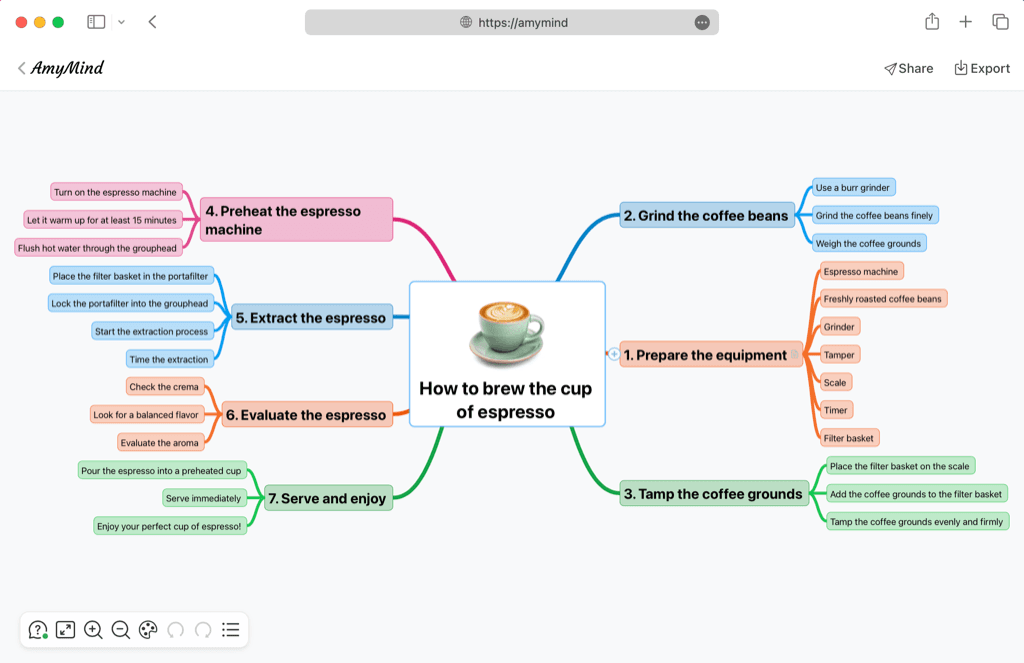
Built into the same editor, API, and account system as the rest of AmyMind.
Built into the same editor, API, and account system as the rest of AmyMind.
Built into the same editor, API, and account system as the rest of AmyMind.
Built into the same editor, API, and account system as the rest of AmyMind.
Built into the same editor, API, and account system as the rest of AmyMind.
Built into the same editor, API, and account system as the rest of AmyMind.
Paste Markdown or upload a .md file.
Review the generated branch hierarchy.
Edit visually and export when ready.
| Need | AmyMind | Manual work |
|---|---|---|
| First draft | Generated in seconds | Outline by hand |
| Editing | Full visual editor | Depends on tool |
| Exports | PPT, PDF, Word, PNG, XMind, Markdown | Usually one or two formats |
Markdown content is summarized into map nodes. Long code blocks are better kept in node notes or linked documents.
Yes. AmyMind supports Markdown export for workflows that need text files.
Your next talk is already in the map
Generate a map, open Pitch Mode, and present. Free to try, no sign-up.