
Paste notes, outlines, or meeting transcripts
Built into the same editor, API, and account system as the rest of AmyMind.
Turn raw notes, outlines, meeting notes, and pasted text into clean mind maps with AI.
Paste unstructured notes and AmyMind will organize the main idea, branches, and details into a visual map you can keep editing.
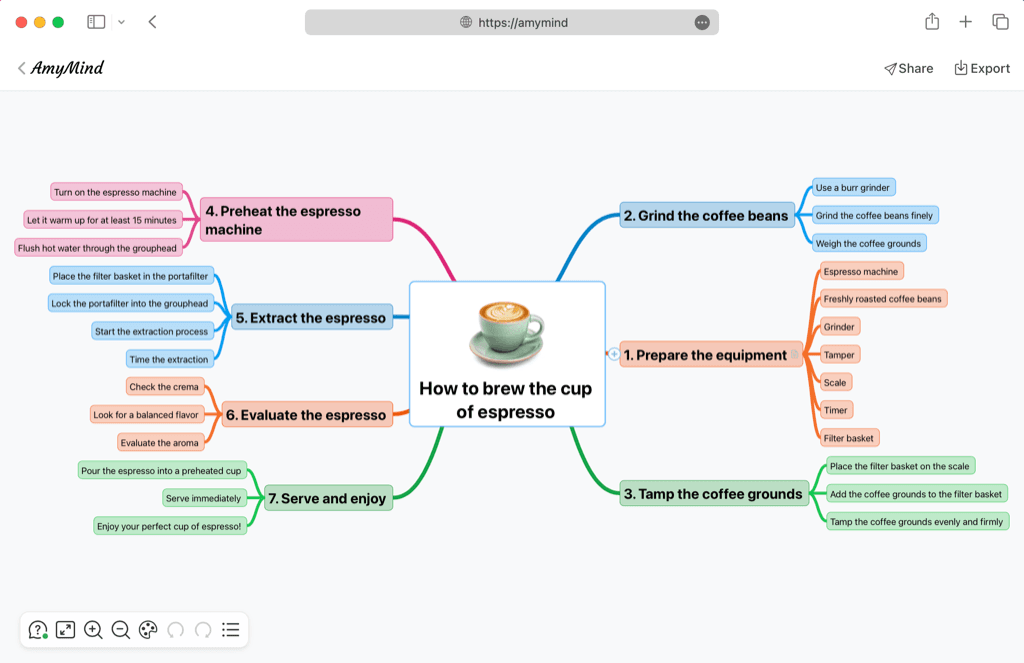
Built into the same editor, API, and account system as the rest of AmyMind.
Built into the same editor, API, and account system as the rest of AmyMind.
Built into the same editor, API, and account system as the rest of AmyMind.
Built into the same editor, API, and account system as the rest of AmyMind.
Built into the same editor, API, and account system as the rest of AmyMind.
Built into the same editor, API, and account system as the rest of AmyMind.
Paste your text into AmyMind.
Generate a structured map with AI.
Refine branches manually or with AI suggestions.
| Need | AmyMind | Manual work |
|---|---|---|
| First draft | Generated in seconds | Outline by hand |
| Editing | Full visual editor | Depends on tool |
| Exports | PPT, PDF, Word, PNG, XMind, Markdown | Usually one or two formats |
Lecture notes, meeting notes, outlines, research snippets, and brainstorming dumps all work well.
Yes. AmyMind follows the language of your input and current interface when possible.
Your next talk is already in the map
Generate a map, open Pitch Mode, and present. Free to try, no sign-up.