
Smart document structure analysis
Built into the same editor, API, and account system as the rest of AmyMind.
Transform PDF files into structured, editable mind maps with AI. Convert documents into visual knowledge maps in seconds.
Dense PDFs become easier to scan when the document hierarchy is visible. AmyMind extracts headings, key ideas, and supporting details, then turns them into an editable map.
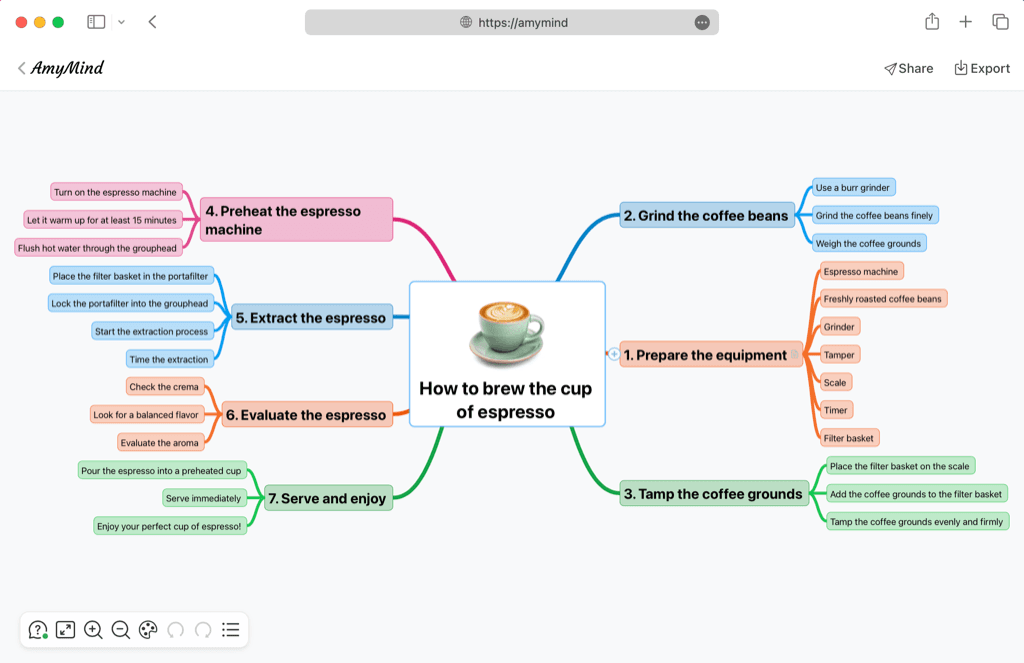
Built into the same editor, API, and account system as the rest of AmyMind.
Built into the same editor, API, and account system as the rest of AmyMind.
Built into the same editor, API, and account system as the rest of AmyMind.
Built into the same editor, API, and account system as the rest of AmyMind.
Built into the same editor, API, and account system as the rest of AmyMind.
Built into the same editor, API, and account system as the rest of AmyMind.
Upload your PDF or paste the document text.
Let AI identify topics, subtopics, and relationships.
Edit the generated map and export it in the format you need.
| Need | AmyMind | Manual work |
|---|---|---|
| First draft | Generated in seconds | Outline by hand |
| Editing | Full visual editor | Depends on tool |
| Exports | PPT, PDF, Word, PNG, XMind, Markdown | Usually one or two formats |
Yes. The converter is designed for multi-page documents and creates a hierarchy that is easier to review than a flat summary.
Yes. The result opens in the AmyMind editor, so every node, branch, note, and style can be changed.
Your next talk is already in the map
Generate a map, open Pitch Mode, and present. Free to try, no sign-up.